Hello! Welcome to the blog for 4th Grade Purple. On this blog you will find links to various math and ELA sites, our kidblogs where student writing can be viewed and commented on, and information about our class. We hope you enjoy having an eye into our world.
Showing posts with label technology. Show all posts

Thursday, May 26, 2016

Exit Point Powerpoints

As we work through our IPC unit on Explorers and Adventurers, the students will be collecting data to use for their exit point activity.  At the end of every unit, students partake in an activity to conclude the unit which is what we refer to as the exit point.  For this current unit, students are creating a powerpoint.  They'll use data in the various categories pertaining to this unit for each slide, and then will present these powerpoints at the end of the unit.


Thursday, May 5, 2016

Research

Students are in the midst of writing an expository essay.  Combing writing with IPC, this essay will be on an endangered animal.  Using our Macs, students have been busy gleaning different information and utilizing a variety of websites and search engines (safe ones found here on the blog) about an animal of choice.  It's been fun to see them discover new information about their animal that has shocked them.  And we've noticed that some predators and preys are sitting beside one another in the class.


Wednesday, May 4, 2016

Time with Tech

On Wednesday mornings, 4th grade purple has the computer cart for the first couple of hours of the day and we utilize it to our full extent.

First, during pods the students participate in two out of four pods with the laptops.  Usually one of these two pods is based on reading, while the other is writing.  This is when we get to practice our writing skills on Kidblog and our reading skills with RAZ Kids, Into the Book, or another online reading program.

After our pods, we will often use the computers for another language arts based activity.  Today, it was to help us start our next writing project: an expository essay based on an endangered animal.  The students visited a website listing various endangered animals, choose one, and then using the research sites tab, and subsequent links on the page, began researching different facets about their animal.

Comprehension response

Read to Someone - IPC incorporation with ELA

Kidblog free write

RAZ Kids


Friday, April 22, 2016

Food Chains

Students used the following link today to glean information about food chains.  In partners, students read through the website, opening and exploring various tabs, and noting information about producers, consumers, and more!


Friday, February 26, 2016

Researching Inventions

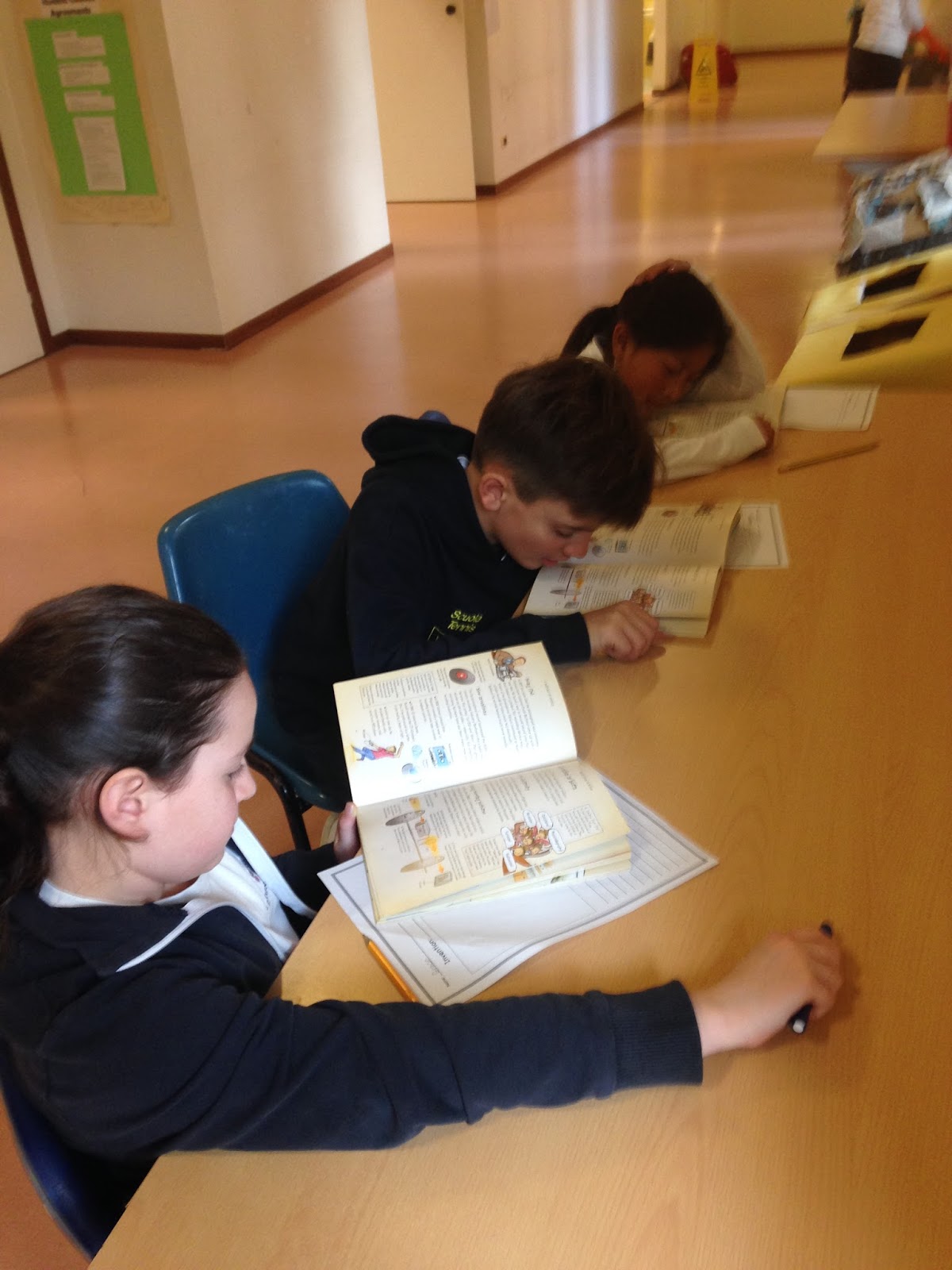
Using World Book Online, students today worked on researching, locating and noting information about inventions.  We've been talking about how to glean information from text and then write it in our own words.


Thursday, February 25, 2016

Medicine & Technology

Students were divided into two teams today: a technology team and a medicine team.  Within each team, the students then, in groups of 3, choose an invention within their category to research.  The inventions of choice ranged from: technology --> tv, telephone, computer, and medicine --> surgery, glasses, x-ray, band-aids.  The students then found their working location, used shared reading to find out about their invention, created a brainstorm web with facts about their invention, then took this information and wrote a paragraph.  It will be fun to hear about these various inventions when they present their information at a later date.


Wednesday, February 24, 2016

Our Favourite Inventions


In our IPC unit, the students have studied a variety of inventions thus far.  Keeping these in consideration, students choose one and wrote about it today during language arts.  They told which invention they liked, why they liked it, if it's a useful invention and why, and what changes they'd make to that invention if they were an inventor and had the opportunity to do so.  Feel free to click on the link below and check these out. :)


Friday, February 5, 2016

Cube Creator

Using this great site from ReadWriteThink, students used information from the Lou Gehrig biography they were reading to make a Bio Cube.  This is a great task to see students' comprehension of a subject in other ways and to have them illicit facts from literature.  4th Grade Purple was able to save  these to their USBs which we can print at a later date and actually make into a cube.  

On the website, you can make a variety of different cubes and even generate one suited to what ever unit you are studying in class.


Inventions

As we study inventions, the students are starting to get into the mindset of what invention they would create if they could invent anything they wanted.  We decided to share these via Kidblog.  We'd love to share our wonderful, imaginative creations with you.


Saturday, January 23, 2016

Multimedia

As we learn new skills in technology, the students aim to incorporate them with curricular outcomes and learning.  Today we integrated Word and images via internet access with IPC in creating title pages for our upcoming units.  Since we don't always utilize the tech skills needed for this project on a daily basis, students are encouraged to collaborate to solve any unknown issues and to experiment with the program to find out what different elements do.  In a way, students inadvertently become teachers to one another, and explorers.


Sunday, January 17, 2016

Double Upload

The other day students learned how to save and upload a picture into Kidblog, followed by writing about their image.  This week students showed that they could complete this process again while also doing a second upload into the same post.  There were many days in between the first and second times uploading photos so it was great to see the collaborative process students had in helping each other when processes were forgotten.

Here a student shares how we do this:


Our blogs, where many of us had time for the second upload, can be viewed here:


Wednesday, January 13, 2016

Keyboarding

The students are learning how to correctly type on a QWERTY keyboard.  This involves learning the correct placement of fingers on the keyboard, which fingers type which letters, how to hold our hands, and avoiding "hen pecking".    On the blog I've added keyboarding websites which the students can practice with.  Unfortunately, the programs are designed for an english keyboard (at school our MACs have an Italian keyboard) but as long as the students recognize the placement of the key, then the actual symbol on the key isn't as important (ie the ; key is different as we have ç ò @ on ours - but as long as the right pinky finger hits that key when it asks for ; then the program should work just fine for the students).


Tuesday, January 12, 2016

Electricity & How to Use it Safely

Students investigated what is electricity, where it comes from, how it gets to our homes and the dangers of electricity in many different places in and around the home.  They did this through an independent study on the website: www.switchedonkids.org.uk  4th Grade Purple is always engaged and on task when it comes to computer based activities, and they are very good at eliciting required information from websites.


Friday, November 27, 2015

Manipulating Graphics

During computer time today students learned how to manipulate graphics for their novel study title pages.  First they opened up their previously saved document, and then searched for images on Google Chrome that would represent aspects of their book.  They then copied and pasted their picture from the internet into their word document.  Next they learned how to wrap the text so they could move the picture freely on the page.  After doing this guided, each student then did it independently and saved their work.  It was great to see how quickly the students picked up on this skill.


Thursday, November 26, 2015

Using Quotation Marks

We've been taking a close look at quotation marks in class.  Some things we are noticing are how they are written in text (the correct punctuation used), their purpose (to show speaking out loud), and who is speaking.

Today as authors we started to use quotation marks in our own writing.  On Kidblog, we wrote single, independent sentences that used quotations at the beginning or end of the sentence.  Along with this we discussed how the punctuation would change (location and style) if the quote was a statement, question or exclamation.

In doing this, we also "put said to bed" meaning we came up with a variety of other words to use instead of said.  Words that would make our writing more colourful and create better pictures for our readers.  Enjoy!

Using Quotation Marks (Kidblog Link)


Tuesday, November 24, 2015

Podding It Up

During our language arts pods today, students incorporated two new activities to add to their language repertoire.  Two of our regular pods, teacher led and reading online, were part of our morning.  But today we also participated in a sentence mix up activity where each student chose a sentence from their novel, cut it apart then gave it to a partner to reassemble.  And our second new activity was free write, which we've done before, but using MS Word and then saving our work on our USBs independently.  I love seeing how involved the students get in their work and in honing their language and tech skills.

Free Write via MS Word

Sentence mix-up fun

Read aloud our novel to a partner, checking for comprehension as we read

Reading online, National Geographic Young Explorers

Tuesday, November 17, 2015

Reading Response via Tech

Incorporating technology into our language arts program is very important to 4th Grade Purple.  One way we try to do this is by using our kidblogs to post our thoughts and responses.  Today students did a reading response telling what they know about the main character in their novel.   Please check them out if you'd like to know more about our characters.

KidBlogs - Character Reading Response


Friday, October 16, 2015

Comic Fun

In enhancing our tech knowledge, students are learning how to save information to their own USB.  This is essential for certain tasks that we're undertaking in the classroom, such as publishing written work via MS Word and creating comics via Comic Creator.  Our MACs unfortunately are not connected for us to print directly from, which is fine as we are learning how to save our work in other manners AND we'll have an item with a year's worth of work on it that will provide each of us with a nice portfolio at the end of 4th grade.

Today students learned how to save items created via Comic Creator as PDFs onto their USB.  The best part, we used this activity as a great peer teaching tool.  So after I had taught a couple of students the process, they then turned around and helped one other, who was then responsible for teaching another and so on and so forth until we'd all learned how to save our work today.


Thursday, September 24, 2015

Parts of the Brain

In our IPC unit Brainwave we are starting to look at the specific parts of the brain and the roles they play in regards to our bodies.  We also look to incorporate technology in many ways in the classroom thus was the case during today's lessons.

First students listened to an article read to them online (kidshealth.org/kid/htbw/brain.html).  They had the same article in front of them in paper form as well.

Second, in partners they gleaned information read by noting the parts of the brain and a role that specific part played.  We then discussed our answers in a whole class setting as we found out that each part of the brain had multiple roles in our body functioning.


Thursday, September 17, 2015

Connecting

Utilizing our reading strategy of "connecting" (how the story is similar to either something in your life, something in the world or to another book) students noted their connections to Because of Winn-Dixie via Kidblog today.

Connections